Test plans
A test plan is a few steps written the way you'd explain them to a person, like "Open the pricing page", "Choose Starter", "Check the checkout shows $10 a month". PageCanary's agent carries them out in a real browser: right away when you save the plan, then every week, alongside your site's critical flow.
It never pays, sends personal details, creates an account or leaves your site. A step that would need one of those ends the run without counting it as a failure.
Add one
When you add a site, choose Add steps to test (optional) and write your steps. We start monitoring the site at once and try the steps straight away.
For a site you already monitor, open it from your dashboard (Test plans on its card) and press Add a test plan. Give it a name, write the steps one per line, and if it shouldn't start on your home page, give its start page.
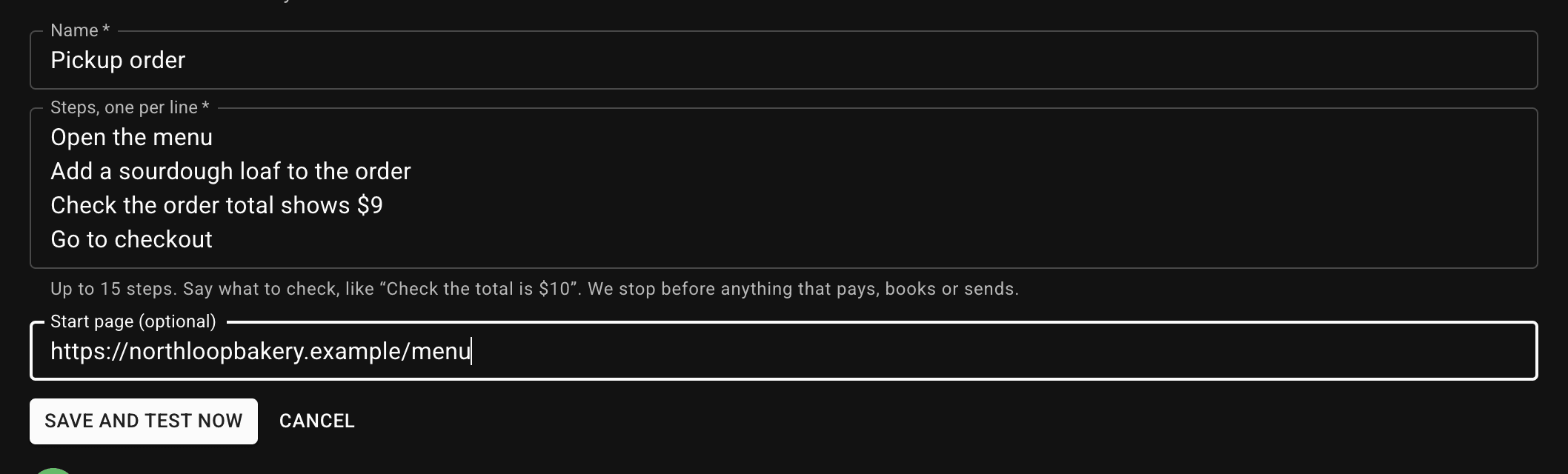
Save and test now runs it once immediately. You can watch each step as the agent does it; a run takes about a minute.
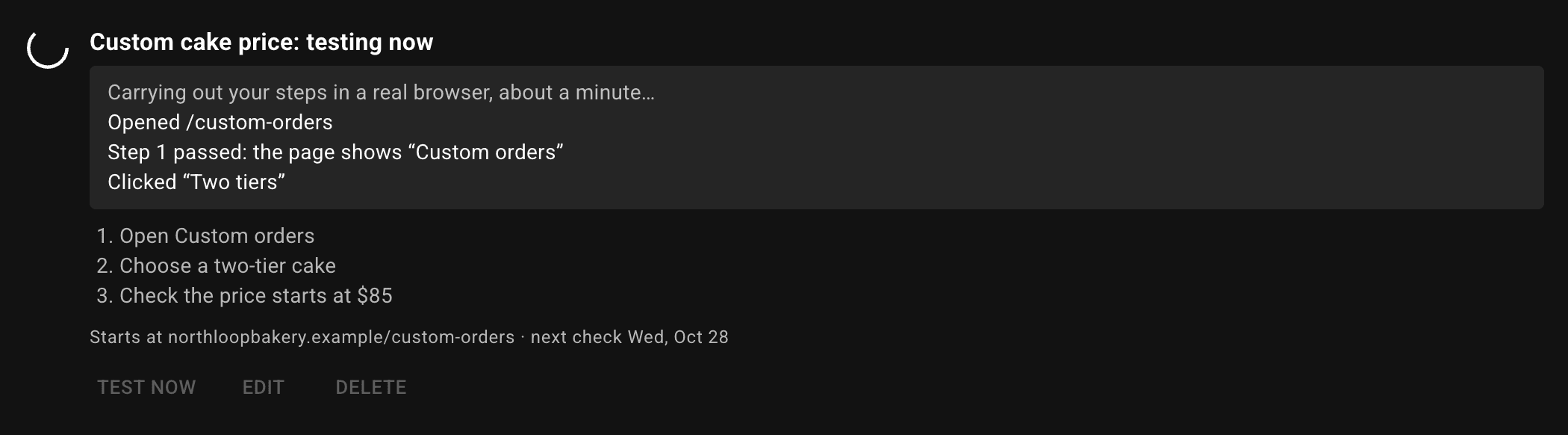
That first run never opens an issue or sends an alert, whatever happens. A first draft is often just worded differently from your site (the button says "Start free trial", not "Get started"), so if a step fails, reword it and save to try again.
Writing good steps
- One action or check per line: "Click Pricing", then "Check Starter costs $10 a month".
- Say what to check, not only where to go. A step passes only when the agent sees it on the page, and it quotes what it saw.
- Use the words on your site: button labels, page names, prices.
- Up to 15 steps. Stop before anything that pays, books or sends: the agent stops there anyway.
Results
Each plan shows its last result and its recent runs. See the steps (or Watch the run, when there's a recording) shows what the agent did, step by step.
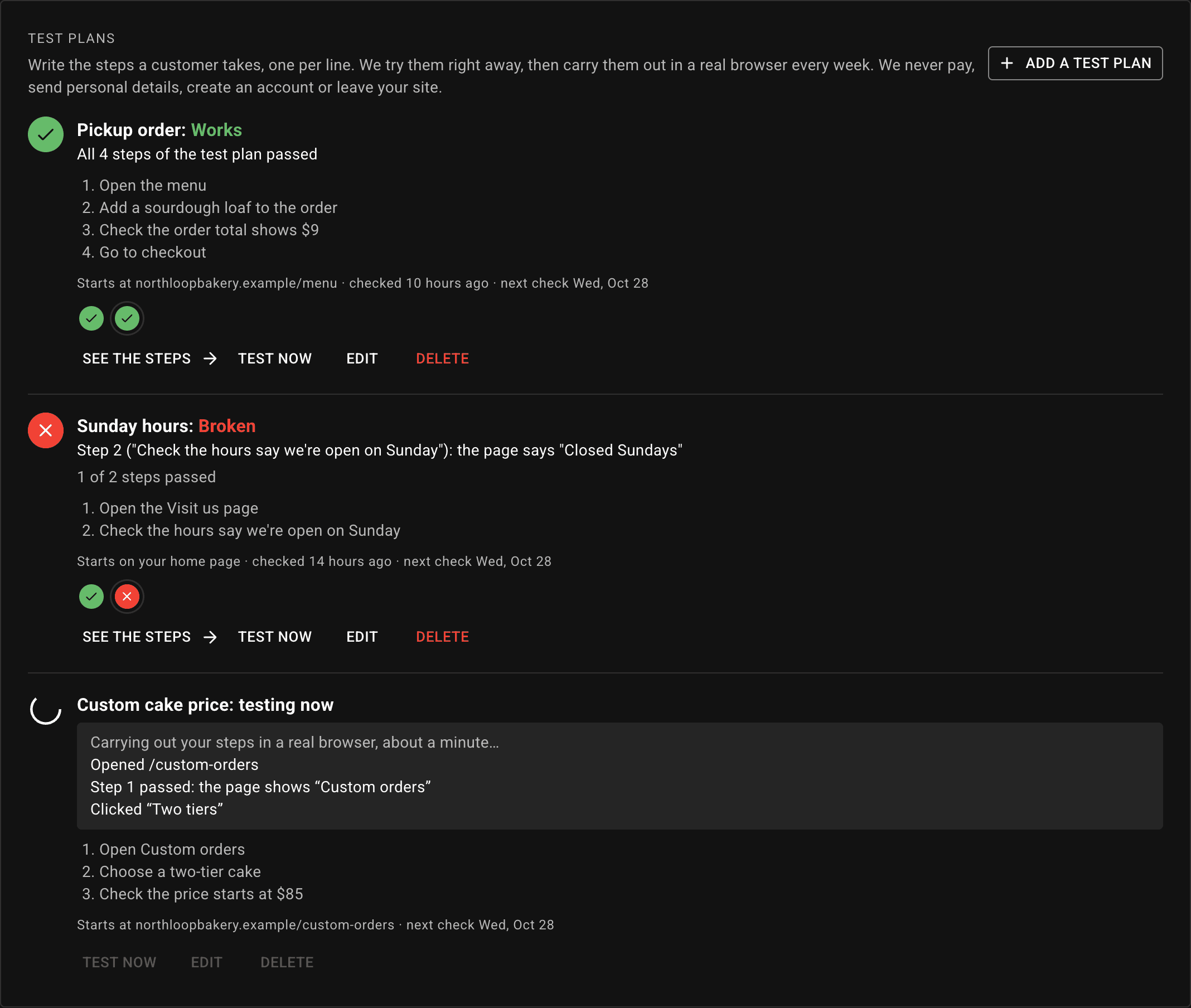
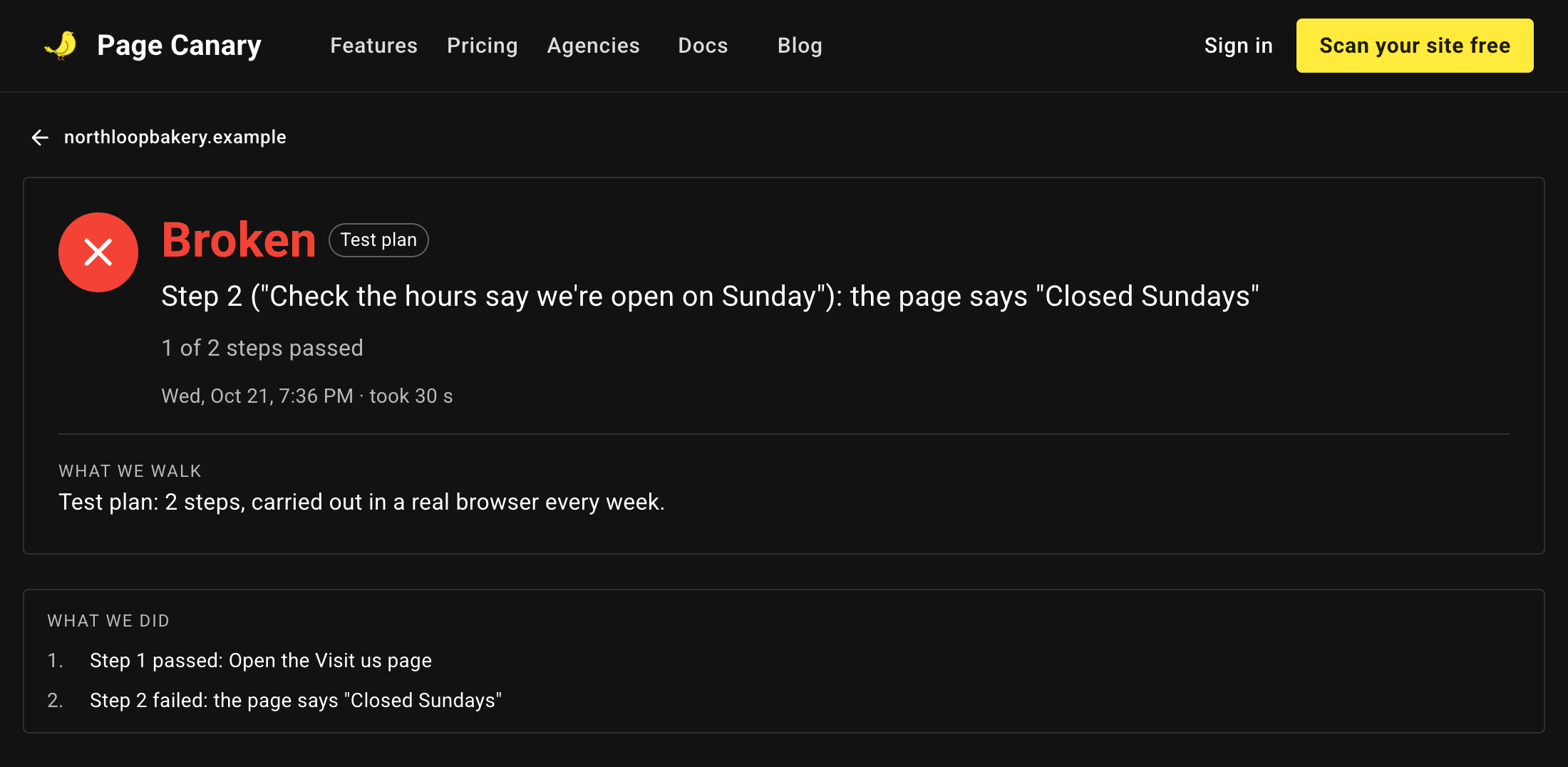
When a weekly run fails, the plan gets its own issue, and like every issue it's confirmed by a second run before you're alerted. The issue and the run say which step failed and what the page showed instead.
If your site doesn't load at all, that's reported once, by the daily checks, not again by each plan.
How many
The free plan includes one test plan per site; Starter and Pro include as many as their critical flows (3 and 5). Each owner can try plans 20 times a day with Test now; the weekly runs don't count toward that.
From your deploys and your coding agent
The same plans work without saving them: the deploy check takes them as test-plan, the MCP walk_flow tool as plan, and the API as plan on a walk.